Why Mobile Apps Demand Bizarre Permissions and How to Take Back Control
- Mobile operating systems rely on permission models to restrict unauthorized app access to sensitive device functions like location, microphone, and contacts.
- Legitimate permissions directly support core features, whereas requests like flashlight apps demanding contacts or photo apps seeking continuous GPS location pose privacy risks.
- Modern iOS and Android platforms feature built-in privacy indicators, such as green and orange dots, to alert users when the camera or microphone is active.
- Regular permission audits through device settings allow users to revoke unnecessary background access without breaking essential app functionality.
In an era where smartphones contain our most sensitive personal records, a dangerous habit has quietly become second nature for millions of users: the reflexive tap on "Allow" whenever a newly installed application prompts for access. From camera and microphone privileges to contacts, photo libraries, and real-time location data, mobile permissions are frequently granted in a matter of seconds without a single thought. Yet behind these routine pop-ups lies a critical tension between basic app functionality and aggressive data collection, raising fundamental questions about personal privacy in an increasingly connected world.
Quick summary
- Mobile operating systems rely on permission models to restrict unauthorized app access to sensitive device functions like location, microphone, and contacts.
- Legitimate permissions directly support core features, whereas requests like flashlight apps demanding contacts or photo apps seeking continuous GPS location pose privacy risks.
- Modern iOS and Android platforms feature built-in privacy indicators, such as green and orange dots, to alert users when the camera or microphone is active.
- Regular permission audits through device settings allow users to revoke unnecessary background access without breaking essential app functionality.
Why it matters
The permissions granted to smartphone applications govern the boundaries of personal privacy in daily digital life. When an application obtains access to sensors or internal storage, it gains the ability to gather personal information that can extend far beyond what is required for its intended service. Excessive permissions open the door to background tracking, unvetted data harvesting, and targeted profiling by third-party ad networks.
For everyday users, understanding permission requests is not merely a technical precaution—it is a vital security discipline. Unchecked app access can expose financial details, personal contact lists, private photo collections, and minute-by-minute location history. By becoming vigilant about permission prompts, consumers actively mitigate the risk of identity exposure, unwanted behavioral tracking, and malicious data exploitation.
Background
Historically, mobile operating systems managed application privileges through crude, all-or-nothing installation frameworks. In early smartphone software, users were forced to accept a comprehensive laundry list of requested permissions upon downloading an app, or forego using the software altogether. Once granted during installation, those privileges remained active indefinitely without further user oversight or granular controls.
Recognizing the severe privacy vulnerabilities inherent in this approach, both Apple and Google overhauled their permission architectures over recent platform generations. iOS and Android introduced runtime permission models, requiring applications to ask for authorization in real time when a specific feature is first used. Subsequent operating system updates added options for one-time access, approximate location sharing, and restricted photo library selection, shifting power back toward the consumer.
Decoding Permission Requests: Necessary vs. Unjustified Access
To navigate permission prompts effectively, users must learn to evaluate whether a request aligns directly with the core function of an application. Legitimate permissions are logically tied to user-initiated tasks. A navigation application undeniably requires access to real-time location and GPS hardware to render accurate turn-by-turn directions. Similarly, a ride-hailing service needs location tracking to connect drivers with passengers, and a dedicated photo editor requires access to camera hardware and storage to capture and save images.
Red flags arise when applications demand privileges completely disconnected from their primary utility. There is no legitimate reason for a simple flashlight tool to scan personal contact lists, nor for an offline single-player puzzle game to request persistent microphone access. Equally suspicious is a basic photo filtering tool demanding round-the-clock background location tracking. When developers embed such excessive requests, the motivation often stems from secondary commercial goals, such as assembling detailed user profiles or monetizing behavioral location data through broker networks.
Privacy Safeguards: How iOS and Android Signal Active Access
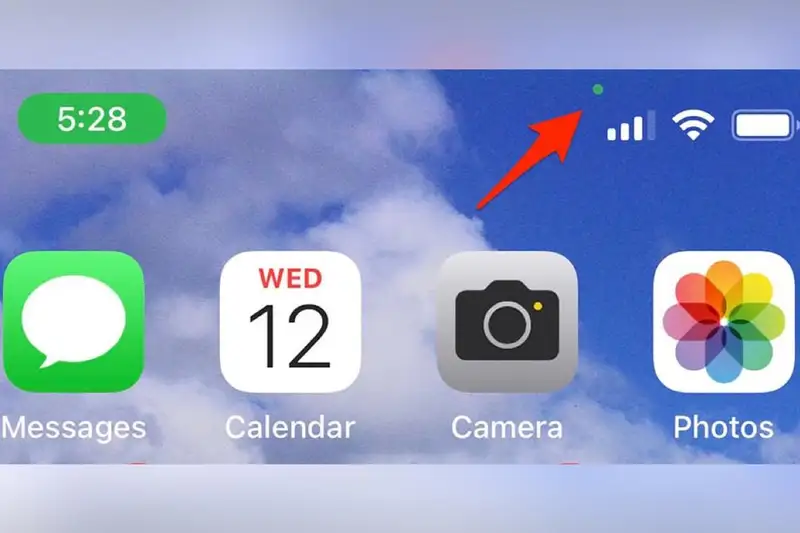
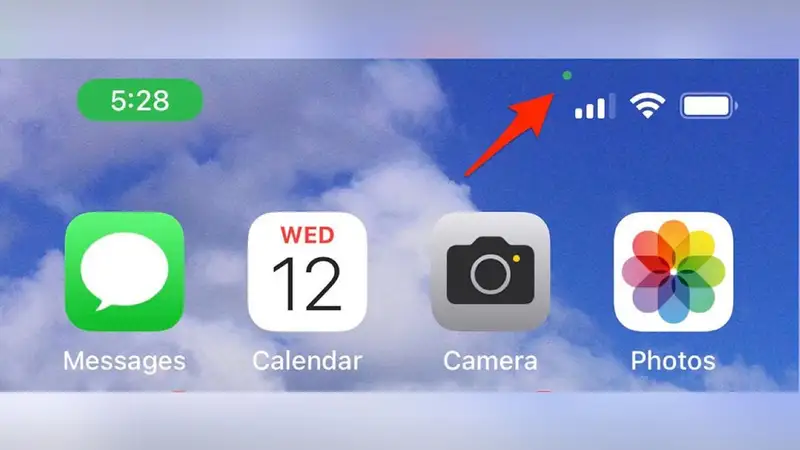
To combat unauthorized surveillance and keep users informed, modern operating systems now feature explicit status indicators that highlight sensor activity in real time. On Apple's iOS, for example, distinctive colored dots appear at the top corner of the screen whenever an app is using hardware sensors. An orange dot indicates that an application is actively utilizing the device microphone, while a green dot signifies that the camera hardware is currently engaged.
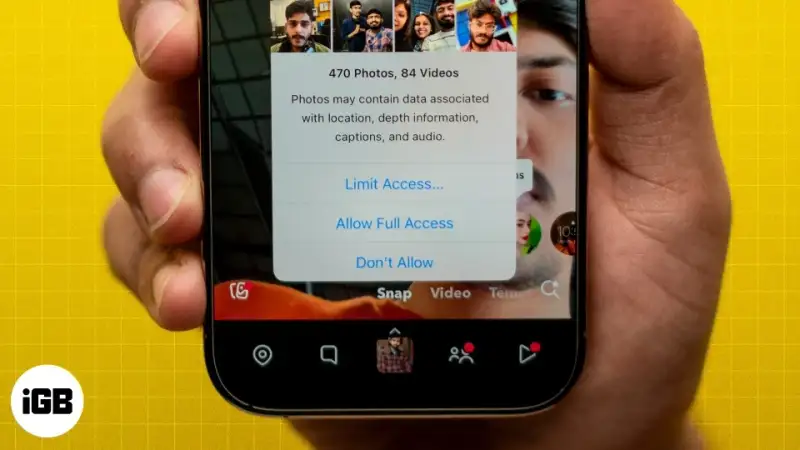
Android devices provide comparable system notification icons and privacy dashboards, revealing exactly which software accessed camera, microphone, or location sensors over the preceding 24 hours. Furthermore, modern mobile platforms allow users to grant temporary "Only This Time" privileges or restrict photo library access to specific selected images rather than opening the entire camera roll to third-party code.
Strategic Steps to Audit and Reclaim Your Mobile Privacy
Taking control of device privacy requires periodic maintenance and proactive auditing of existing app permissions. Both iOS and Android provide centralized privacy management screens within system settings, allowing users to examine permission grants categorically or on an app-by-app basis.
A comprehensive privacy audit should include the following actionable steps:
- Audit Location Services: Review all apps with location access. Change permissions from "Always" to "While Using the App" or "Ask Next Time" for services that do not require background tracking.
- Restrict Sensitive Sensors: Re-examine camera and microphone rights. Turn off access for utility applications, mobile web browsers, or games that do not explicitly require voice or video capabilities.
- Limit Storage and Photo Access: Utilize partial photo sharing privileges on modern operating systems, granting apps access only to selected media items rather than full gallery visibility.
- Revoke Unused App Permissions: Enable automatic permission revocation features on operating systems that automatically strip privileges from apps that have not been opened in several months.
Qnews24h insight
The persistent problem of questionable app permission requests highlights an ongoing tug-of-war in the mobile ecosystem. On one side, platform developers like Apple and Google continue to bolster OS-level privacy protections, forcing transparency through visual indicators and granular controls. On the other side, an expanding monetization engine incentivizes free software creators to siphon off personal data for targeted advertising, analytics, and consumer research.
Moving forward, user vigilance remains the primary line of defense. System updates and platform policies can erect hurdles against invasive data collection, but they cannot replace mindful consumer behavior. Recognizing that every permission prompt is an authorization to enter your digital life is essential for maintaining control over personal privacy in an increasingly data-hungry marketplace.
Sources
Source material compiled from technology reports on Znews.vn covering mobile permission models, system privacy features, and smart device security practices.
Frequently asked questions
Why do simple apps ask for permissions like location or contacts?
While some utility apps require permissions for genuine secondary features, many simple apps request wide-ranging permissions to collect user data for analytics, market research, or targeted ad networks.
What happens if I deny a permission request from an app?
In most modern operating systems, denying a non-essential permission will simply disable that specific feature within the app while allowing the primary application to function normally.
What do the green and orange dots on my smartphone screen mean?
The orange dot indicates that an application is actively using your device microphone, while the green dot alerts you that an application is currently accessing your smartphone camera.
How often should I review my smartphone's permission settings?
It is recommended to conduct a permission audit every few months, or immediately whenever you install new applications or notice unusual battery drain and background activity.
Why it matters
Granting excessive mobile permissions can expose sensitive personal files, location history, and contact books to unvetted third parties, increasing risks of unwanted behavioral profiling, targeted tracking, and security vulnerabilities.
Background
Early smartphone operating systems forced users into all-or-nothing permission acceptance upon installation. Over time, both iOS and Android developed granular runtime permission models, allowing users to control sensor and data access dynamically.
While operating system creators continue implementing stricter privacy indicators and limited access options, the monetization of personal data continues to incentivize developers to request broader privileges than necessary. True security ultimately relies on consumer awareness and deliberate permission hygiene.
References
Editorial information
The editorial team reviews sources, adds context, and structures stories so readers can understand the news more clearly.
Article from QNEWS24H
Comments
(0)No comments yet. Be the first to share your thoughts.