The Safe Distance: How to Hold Your Phone to Protect Your Eyes and Spine

- The American Optometric Association advises maintaining a screen distance of 33 to 50 centimeters (roughly an arm's length) to lower the risk of eye strain.
- Bending the head forward at a 45-degree angle to look at handheld screens exerts severe, unnatural pressure on the cervical spine, causing chronic neck pain.
- Tech features like Apple's iOS 'Screen Distance' alert are emerging to actively prompt users to correct their harmful viewing habits.
The modern smartphone has seamlessly integrated into almost every facet of daily life, transforming from a simple communication tool into an indispensable personal assistant, entertainment hub, and workstation. However, this profound shift in human behavior has introduced an unprecedented biological tax. As we spend hours each day bent over small, high-definition displays, we are subjecting our eyes and skeletal systems to chronic, unnatural strains. What many dismiss as temporary fatigue or minor stiffness is increasingly recognized by medical professionals as the precursor to long-term physiological damage. Adjusting how we hold these devices is no longer just a matter of comfort; it has become a vital health necessity.
Quick summary
- The Optimal Distance: The American Optometric Association advises maintaining a strict screen distance of 33 to 50 centimeters (roughly an arm's length) to significantly lower the risk of digital eye strain.
- The Weight of Posture: Bending the head forward at a 45-degree angle to look at handheld screens exerts severe, unnatural pressure on the cervical spine, causing muscle imbalances and chronic neck pain.
- Active Tech Interventions: Major tech companies like Apple are introducing software features, such as the iOS 'Screen Distance' alert, to actively prompt users to correct their viewing habits.
Why it matters
The physical strain of excessive smartphone use extends far beyond temporary physical discomfort. In an era where remote work and digital communication dominate, chronic issues like Computer Vision Syndrome (CVS) and 'tech neck' are emerging as major public health concerns. When left unaddressed, repetitive eye strain can lead to chronic headaches, persistent dry eyes, and blurred vision, while poor posture can cause permanent spinal misalignment, nerve compression, and tension headaches. For businesses and healthcare systems, this translates into lost productivity and escalating medical expenses. Understanding and implementing simple ergonomic adjustments is a highly effective, cost-free preventative measure that can protect long-term physical well-being in an increasingly digitized world.
Background
Historically, human ocular and musculoskeletal systems evolved for dynamic, varied tasks, primarily focusing on mid-to-far distances and maintaining an upright posture. The widespread adoption of desktop computers in the late 20th century first introduced the concept of Computer Vision Syndrome, but the rigid setups of desks and monitors kept screen distances relatively standardized. The mobile revolution of the 2010s shattered these boundaries. Because smartphone screens are significantly smaller and highly portable, users naturally bring them closer to their faces—often well under the recommended 30-centimeter threshold—and look down for extended periods. This combination of close-up focus and downward head tilt has bypassed the body's natural ergonomic limits, creating a new class of repetitive strain injuries.
The Mechanics of Eye Strain and Tech Neck
To comprehend why such a small device causes such significant discomfort, it is helpful to look at the mechanics of the human body. When we focus on a close-up object, our eyes must perform a complex set of muscular adjustments. The ciliary muscles inside the eyes contract to change the shape of the lens, focusing light directly onto the retina. The closer an object is, the harder these muscles must work. Over hours of continuous close-up viewing, these muscles fatigue, leading to the dull ache and blurriness associated with eye strain. Furthermore, human blink rates naturally drop by up to 50% when staring at screens, which prevents the proper distribution of tears and results in dry, irritated eyes.
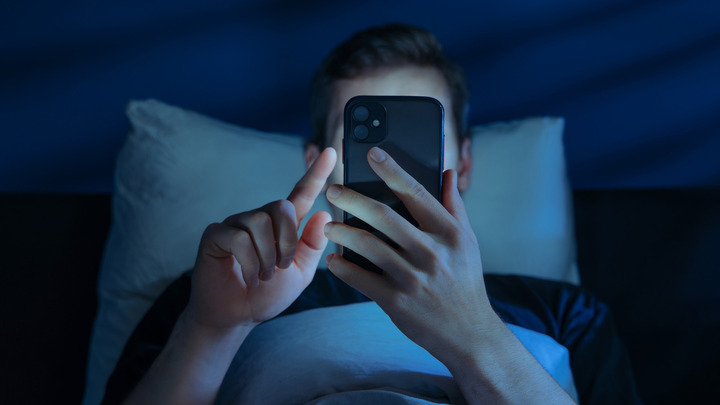
Simultaneously, the cervical spine is placed under severe mechanical stress. The average human head weighs approximately 5 kilograms when held in a neutral, upright position. However, as the neck bends forward to view a screen, the effective weight on the cervical spine increases dramatically. At a 45-degree angle, the head exerts a force equivalent to over 20 kilograms on the neck muscles and ligaments. Over time, this constant load causes the muscles at the back of the neck to tighten and shorten, while the muscles in the shoulders and upper back become overstretched and weak. This muscular imbalance is the root cause of chronic neck tension, shoulder pain, and restricted mobility.

Practical Steps to Achieve Ergonomic Harmony
Addressing these physical challenges does not require giving up mobile technology entirely; rather, it requires adopting mindful ergonomic habits. Healthcare professionals recommend several simple adjustments:
1. Elevate the Device
Instead of bending your neck to look down at your lap, bring the smartphone up toward your eye level. If your arms become tired, support your elbows on a table or place a pillow on your lap to serve as an elevated resting pad for your forearms.
2. Maintain the Arm's Length Rule
Train yourself to keep your phone at least 33 to 50 centimeters away from your face. A simple way to measure this is to extend your arm; the phone should be roughly at a distance where you can just touch it with your fingertips if your arm is partially bent.
3. Leverage Ergonomic Accessories
When watching longer videos or reading extensively, use adjustable phone stands or desktop mounts. These tools hold the screen at an optimal viewing angle, allowing you to maintain a straight, neutral spine without manual effort.
4. Adopt the 20-20-20 Rule
To give your ciliary muscles a necessary break, practice the 20-20-20 rule: every 20 minutes, look away from your screen at an object at least 20 feet (about 6 meters) away for at least 20 seconds. This simple habit allows your eye muscles to relax and encourages blinking to restore moisture.
Qnews24h insight
The growing prevalence of 'tech neck' and digital eye strain highlights a fascinating friction in modern human evolution: our technology is developing at an exponential rate, while our physical bodies remain adapted to life in the pre-digital era. The fact that major tech firms like Apple are now embedding physical health alerts—such as screen distance warnings—directly into their operating systems is a tacit admission that software design has historically ignored human biology. Moving forward, the responsibility for maintaining physical health cannot rest solely on the consumer. We expect to see a broader shift where software, hardware, and physical ergonomics converge, making proactive health alerts a standard feature across all digital interfaces rather than an optional setting.
Sources
This article is based on clinical guidelines from the American Optometric Association regarding digital eye strain and ergonomic reports detailed by Soha.vn.
Why it matters
The physical strain of excessive smartphone use extends beyond temporary discomfort, emerging as a major public health concern with long-term impacts on productivity and physical health.
Background
The shift from stationary monitors to highly portable, small-screen smartphones has disrupted natural human posture, causing users to bring screens dangerously close to their eyes and look down for long periods.
The integration of health alerts by tech giants like Apple shows a growing convergence between software design and human biology, emphasizing that maintaining physical health in a digital world requires both behavioral and technological intervention.
References
Editorial information
The editorial team reviews sources, adds context, and structures stories so readers can understand the news more clearly.
Article from QNEWS24H
Comments
(0)No comments yet. Be the first to share your thoughts.