How to Maximize Samsung Phone Battery Life Across 7 Years of Software Updates

- Samsung flagship smartphones like the Galaxy S26 series now receive seven full years of One UI and security updates, extending software support through 2033.
- Capping daily charging around 80% and avoiding full battery depletion below 15% prevents chemical stress and preserves long-term battery capacity.
- Mitigating extreme heat from gaming or dashboard navigation and relying on certified chargers (Anker, Belkin, Ugreen, Qi2) prevents thermal and electrical damage.
When hardware durability meets extended software support, the traditional smartphone replacement timeline changes fundamentally. Samsung's pledge to deliver seven full years of security patches and system upgrades—extending support for devices like the Galaxy S26 through 2033—means operating system obsolescence is no longer the main reason to upgrade. However, while software remains up to date, the chemical components inside lithium-ion batteries naturally face degradation over time, making proper battery management the defining factor in whether a phone actually lasts seven years.
Quick summary
- Samsung flagship devices now receive up to seven years of software updates and security patches, extending potential device usage into the next decade.
- Preventing chemical wear requires capping routine charge cycles around 80% and avoiding full discharge down to zero percent.
- Thermal management and certified chargers from recognized brands like Samsung, Anker, Belkin, Ugreen, or Qi2 wireless equipment are crucial to guard against internal battery damage.
Why it matters
For consumers, seven years of OS support transforms a high-end smartphone from a short-term luxury into a durable investment. Long-term software commitment significantly lowers the average annual cost of device ownership and cuts electronic waste. However, software updates cannot fix physical battery decay. If the battery degraded after two or three years, users would face poor battery life, sudden shutdowns, or expensive battery replacements. Establishing effective battery care practices allows users to fully benefit from Samsung's multi-year update roadmap.
Background
Historically, mobile users were forced to replace smartphones every two to four years due to end-of-life software policies rather than complete hardware failure. Operating system developers and manufacturers routinely phased out support for older chipsets, leaving functional devices without critical security patches or app compatibility. Recent shifts across the mobile industry have overturned this pattern. Leading tech companies, headed by Samsung, introduced extended support timelines for flagship devices. With models like the Galaxy S26 promised updates through 2033, the focus shifts from software limitations to hardware endurance, specifically maintaining battery capacity over extended periods.
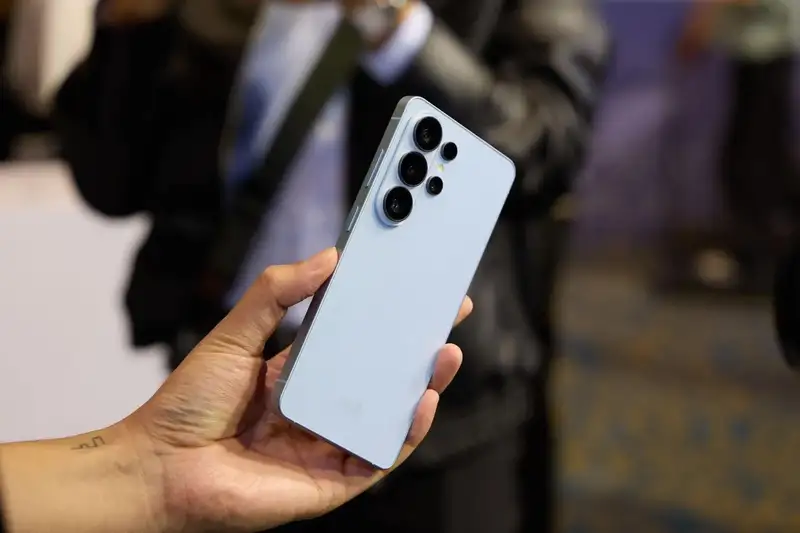
Thermal Management: Controlling the Greatest Threat to Battery Health
Excessive heat remains the single most destructive factor for smartphone batteries. High temperatures destabilize internal chemical reactions, reducing the battery's ability to store power over time. During demanding activities like mobile gaming, high-resolution video processing, or prolonged camera use, internal heat can rise quickly. Pausing heavy application use when the phone feels hot prevents permanent thermal degradation.
Environmental conditions also play a key role. Operating a smartphone as an active GPS navigation unit on a hot vehicle dashboard subjects the battery to double heat buildup—combining direct sunlight with continuous power consumption. Similarly, wireless charging generates extra heat; using uncooled wireless chargers in warm environments accelerates battery aging. Selecting wireless chargers with built-in active cooling fans helps manage ambient temperatures effectively.
Optimizing Charge Limits: The 80 Percent Strategy
Charging a battery to 100 percent pushes higher voltage stress into lithium-ion cells. Although modern smartphones contain automated controllers that stop power intake once maximum capacity is reached, keeping a cell at peak charge maintains high voltage stress that speeds up structural breakdown. Limiting standard daily charging to approximately 80 percent provides enough operational time for daily tasks while keeping the cell within a safer voltage window.
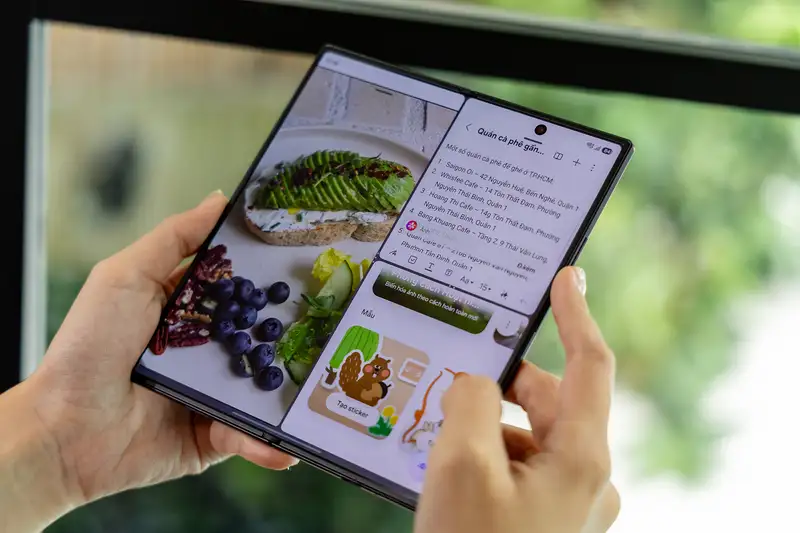
Samsung integrates custom battery protection software directly into One UI settings. Users can configure protection modes to cap charging at custom limits, preventing the phone from staying at 100 percent overnight. This simple setting helps preserve total overall battery capacity across multi-year lifecycles.
Hardware Verification: Chargers, Cables, and Safety Standards
Power delivery hardware quality directly influences long-term battery health. Low-cost, non-certified charging accessories often lack steady voltage regulators and temperature protection circuits, exposing internal components to dangerous power fluctuations. Using official Samsung power adapters or certified accessories from established manufacturers like Anker, Belkin, and Ugreen ensures stable voltage delivery and protects device circuits.
When choosing wireless chargers, selecting Qi2-certified equipment provides magnetic alignment and strict safety standards. Proper coil alignment reduces energy loss converted into excess heat, protecting both the battery and power management circuits.
Preventing Deep Discharge and Proper Storage Protocols
Allowing a battery to drain completely down to zero percent causes chemical stress on electrode structures. Samsung designs devices with hardware reserves that power down the unit before absolute zero is reached, but frequent complete depletion still degrades usable lifespan. Plugging in the device when power drops to 15 percent, enabling built-in power saver settings, and customizing low-battery notifications help avoid deep discharge cycles.
Storage conditions matter just as much when a phone is left unused. Storing a device with an entirely empty battery for long periods causes chemical passivation layers to form on internal electrodes. This condition severely impairs the battery's ability to hold a charge when turned back on. Maintaining a partial charge of around 50 percent before putting a device away keeps the internal chemistry stable.
Qnews24h insight
Extended seven-year software policies mark a significant change in smartphone longevity, but software promises must align with hardware realities. While software updates can be delivered over the air indefinitely, battery chemistry is governed by physical degradation limits. Samsung's long-term update commitment puts greater emphasis on user maintenance habits. Hardware longevity is no longer limited by software support cycles, but rather by daily thermal management, charging thresholds, and accessory quality. Users who practice smart battery care will benefit from a fully supported, reliable smartphone for years to come.
Frequently Asked Questions
Why is charging my phone to 100 percent harmful over time?
Charging to maximum capacity subjects lithium-ion battery cells to sustained high voltage levels, which accelerates chemical degradation and reduces maximum storage capacity faster over consecutive years.
At what battery percentage should I plug in my Samsung phone?
It is best practice to connect your phone to a charger when the battery level drops to around 15 to 20 percent, avoiding complete depletion down to zero percent.
Which third-party charger brands are safe for Samsung phones?
Reputable power accessory manufacturers such as Anker, Belkin, and Ugreen produce safety-certified wall chargers and cables that meet safety and power delivery standards.
Sources
- Thanh Nien Newspaper: Cách duy trì tuổi thọ pin điện thoại Samsung trong suốt 7 năm cập nhật
Why it matters
Seven years of software updates allows consumers to keep smartphones significantly longer, lowering total ownership costs and reducing electronic waste. However, hardware longevity depends on battery health, making active power management vital for multi-year usage.
Background
Historically, short software update windows forced consumers to replace functional smartphones every two to four years. Major manufacturers like Samsung have shifted toward multi-year support commitments, moving the focus of device longevity from software limitations to battery care.
While multi-year software policies remove operating system limitations, battery chemistry remains subject to physical wear. Modern device longevity now depends on proactive user charging habits, proper accessory choices, and effective thermal control.
References
Editorial information
The editorial team reviews sources, adds context, and structures stories so readers can understand the news more clearly.
Article from QNEWS24H
Comments
(0)No comments yet. Be the first to share your thoughts.