Google Maps Power Saving Mode Cuts Battery Drain: What Drivers and Commuters Need to Know
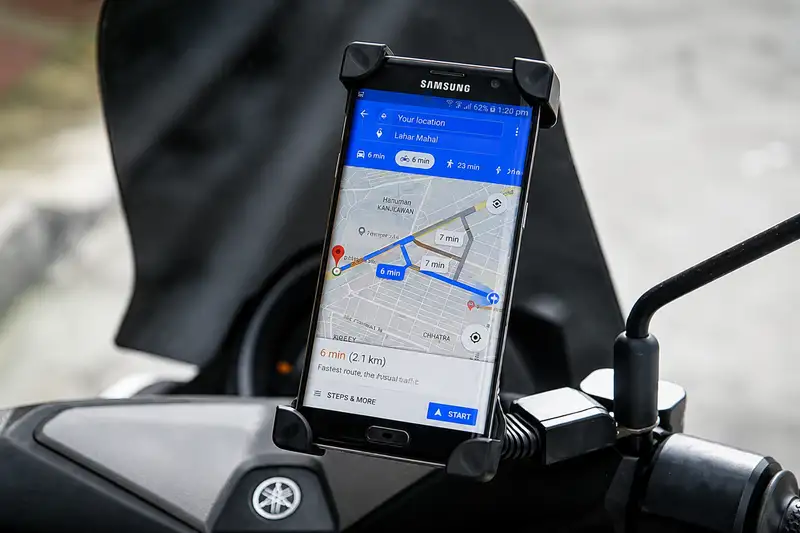
- Google Maps has introduced a dedicated Power Saving Mode designed to reduce smartphone battery consumption during active navigation.
- The feature minimizes UI graphic complexity, lowering color depth and refresh frequencies while keeping vital turn prompts and ETAs visible.
- Availability is currently restricted to the Google Pixel 10 series, including Pixel 10, Pro, Pro XL, and Pro Fold models.
- Drivers on non-supported devices can achieve significant energy savings by pre-downloading Offline Maps to reduce cellular data polling.
Using a smartphone as a primary navigation dashboard has become standard practice for daily commuters, long-distance drivers, and motorcyclists alike. However, relying on continuous GPS satellite tracking, real-time cellular data exchange, and prolonged high-brightness display render Google Maps one of the most power-hungry mobile applications available. For travelers navigating unfamiliar highways or riding motorbikes without dedicated USB charging ports, rapid battery depletion remains a major operational hazard. A new dedicated configuration setting inside Google Maps aims to alleviate this burden by minimizing graphic overhead and display consumption during active route guidance.
Quick summary
- Targeted graphics reduction: Google Maps introduced a built-in Power Saving Mode that simplifies the navigation interface to essential details like turn prompts, distance, and estimated time of arrival.
- Limited initial availability: The feature is currently exclusive to Google Pixel 10 devices, including the Pixel 10, Pixel 10 Pro, Pixel 10 Pro XL, and Pixel 10 Pro Fold.
- Seamless toggle mechanism: Once activated in settings, users can instantly switch to the power-optimized UI by pressing the device power button while navigating.
- Workarounds for other devices: Smartphone users without Pixel 10 hardware can achieve similar battery savings by downloading offline maps and optimizing location permissions.
Why it matters
Modern mobile navigation demands immense hardware performance. Beyond keeping the screen illuminated at high brightness to combat outdoor sunlight glare, the app continuously calculates real-time telemetry, redraws dynamic 3D visual environments, and queries cellular towers for traffic updates. For motor vehicle drivers and especially motorbike riders—who frequently mounted phones on handlebars exposed to direct heat and sunlight—battery depletion can reach alarming rates, sometimes dropping by dozens of percentage points within an hour of navigation.
By introducing a dedicated low-power state inside the navigation client itself, software engineers address the root cause of battery strain: excessive UI rendering and screen power consumption. For commuters dependent on continuous directional cues, reducing power draw without sacrificing critical navigational guidance ensures phones remain operational throughout full work shifts or extended cross-country road trips.
Background
Historically, mobile operating systems relied entirely on system-wide battery saver modes to reduce overall hardware consumption. While system-wide battery saver settings throttle processor clock speeds and restrict background app refreshing, they rarely alter the visual output of active foreground applications like navigation maps. As a result, even when a device entered battery saver mode, Google Maps continued rendering high-resolution color palettes, smooth animation transitions, and dense vector terrain detail.
Recognizing that foreground display rendering during active navigation represents the bulk of energy expenditure, software developers began experimenting with app-specific power optimization settings. The latest iteration directly targets visual complexity, offering a stripped-down navigational interface specifically engineered for minimal power consumption during active trips.
How Google Maps Power Saving Mode Re-engineers Navigation Efficiency
The core mechanism behind the new Power Saving Mode relies on intelligent UI simplification. When the feature is active during turn-by-turn navigation, Google Maps strips away non-essential visual elements. Complex 3D building outlines, detailed topographical shadings, and heavy animation effects are disabled in favor of a clean, lightweight directional display.
Key metrics remain front and center: the immediate upcoming maneuver, remaining distance to destination, and real-time Estimated Time of Arrival (ETA). By drastically cutting back dynamic graphical redraws and restricting color palette richness, the display processor and graphics hardware operate at lower power states. Furthermore, decreasing the frame refresh frequency reduces thermal buildup, preventing thermal throttling on hot summer rides.
Hardware Exclusivity: The Pixel 10 Barrier
Despite the broad utility of this feature, initial deployment is tightly constrained by hardware model restrictions. Currently, Google has restricted access to its latest lineup of flagship devices: the Pixel 10, Pixel 10 Pro, Pixel 10 Pro XL, and Pixel 10 Pro Fold. Standard Android smartphones from other original equipment manufacturers (OEMs) and Apple iOS devices currently lack access to this native toggle within the app settings interface.
This staged rollout strategy is consistent with software deployment practices where new device hardware controllers and display pipeline features are evaluated on native hardware before broader platform expansion. Industry observers expect wider Android integration in future application updates, though no official timetable has been finalized for older Pixel generations or third-party devices.
Step-by-Step: Enabling Power Saving Mode
For users operating a supported Pixel 10 device, enabling the feature requires a quick one-time configuration process within the app environment:
- Open the Google Maps application on your supported smartphone.
- Tap your profile avatar or account menu to access Settings.
- Scroll to and select Navigation settings.
- Locate and toggle the Power Saving Mode switch to the active position.
Once this single toggle is enabled, operating the low-power interface during travel becomes intuitive. While turn-by-turn navigation is actively executing, pressing the device physical power button immediately transitions the display from full-fidelity map rendering into the streamlined low-power navigation HUD.
Alternative Strategies for Non-Pixel Android and iOS Users
Because the dedicated Power Saving Mode is currently limited to the Pixel 10 family, users operating other mobile devices must employ alternative optimization strategies to conserve battery while riding or driving.
1. Leverage Offline Maps (Offline Navigation)
One of the most effective ways to lower battery strain on any smartphone is downloading map regions prior to embarking on a journey. When navigating via standard online maps, the device modem continuously communicates with cellular towers to download map tiles, traffic congestion feeds, and satellite imaging. In areas with spotty cellular reception, the phone radio elevates transmission power to maintain a connection, causing severe battery drop and device heating.
By navigating with Offline Maps, the application relies predominantly on locally stored vector data and onboard GPS hardware, eliminating continuous cellular data reception and substantially prolonging battery endurance.
2. Adjust Location Access Permissions
System-level location tracking settings also play a significant role in energy conservation. Users can review device privacy options to ensure location access is configured efficiently, avoiding unnecessary background polling when navigation is not actively required.
Qnews24h insight
The introduction of Power Saving Mode inside Google Maps represents a practical recognition of real-world mobile usage constraints. While mobile displays feature higher brightness ceilings and screens offer rich 120Hz refresh rates, real-world utility often demands longevity over graphic complexity—particularly for vehicle operators relying on smartphones as vital travel tools. However, restricting this practical utility exclusively to the newly launched Pixel 10 lineup highlights a growing trend of gating essential software quality-of-life enhancements behind new hardware upgrades. Until Google expands Power Saving Mode across broader Android ecosystems, non-Pixel drivers must continue relying on manual workarounds like offline maps to keep their devices powered through long journeys.
Frequently Asked Questions
Can I use Power Saving Mode in Google Maps on iPhone or non-Pixel Android devices?
At present, the dedicated native Power Saving Mode within Google Maps settings is exclusively available for the Google Pixel 10 flagship lineup. Other smartphone users can manage battery consumption by using Offline Maps and adjusting system screen brightness.
Does turning on Power Saving Mode hide crucial route information?
No. Essential navigation data—including upcoming turn indicators, remaining distance, lane guidance prompts, and estimated arrival time—remains clearly displayed on screen.
How do Offline Maps help save mobile battery life during long drives?
Offline Maps store geographical data directly on internal phone storage. This prevents the phone cellular modem from continuously fetching map tiles over 4G/5G data networks, significantly lowering network chip power consumption, especially in weak signal areas.
Sources
- Original report published by Soha.vn
Why it matters
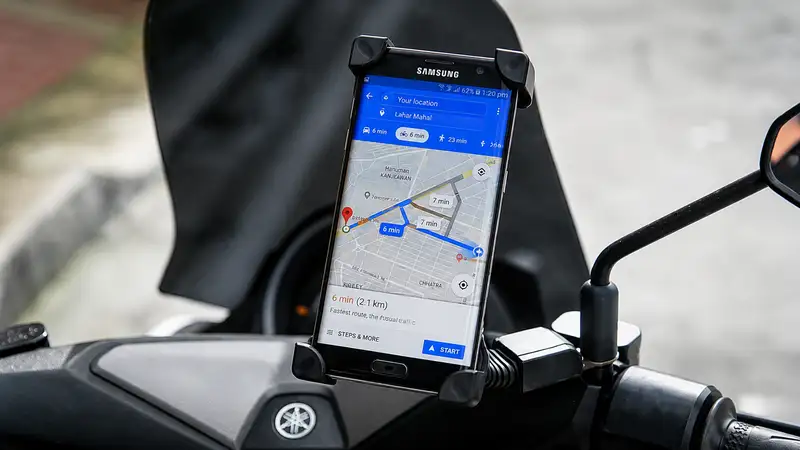
Continuous GPS tracking, screen illumination, and cellular data transfer make navigation one of the most power-draining activities on smartphones. Reducing app energy draw ensures drivers and riders can navigate safely on long routes without risk of sudden device shutdown or thermal overheating.
Background
Traditional smartphone power saving relied on operating system toggles that lowered processor speeds but left active foreground app graphics untouched. The new Google Maps integration shifts optimization directly into the application layer by lowering render complexity during turn-by-turn guidance.
While app-level power management addresses a persistent pain point for daily drivers, limiting this high-utility tool to flagship Pixel 10 hardware leaves the vast majority of mobile navigators reliant on secondary fixes like offline map caching until wider platform deployment occurs.
References
- 1.soha.vn
Editorial information
The editorial team reviews sources, adds context, and structures stories so readers can understand the news more clearly.
Article from QNEWS24H
Comments
(0)No comments yet. Be the first to share your thoughts.